



Three ways to make the next purchase better.
Start with a ready-made deal, then adjust the products, thresholds and reward to fit your store.
01
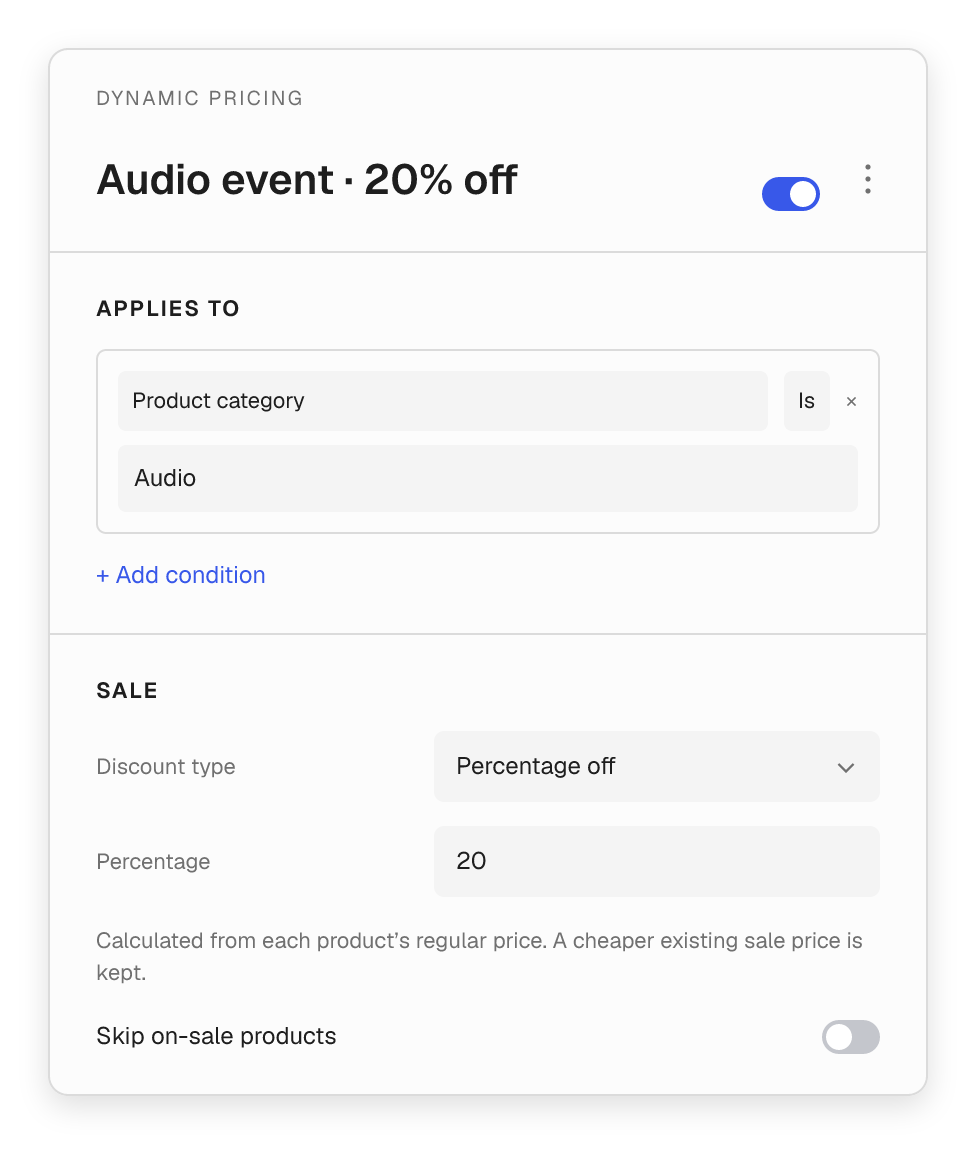
Sale
20% off
A clear price. A timely offer.
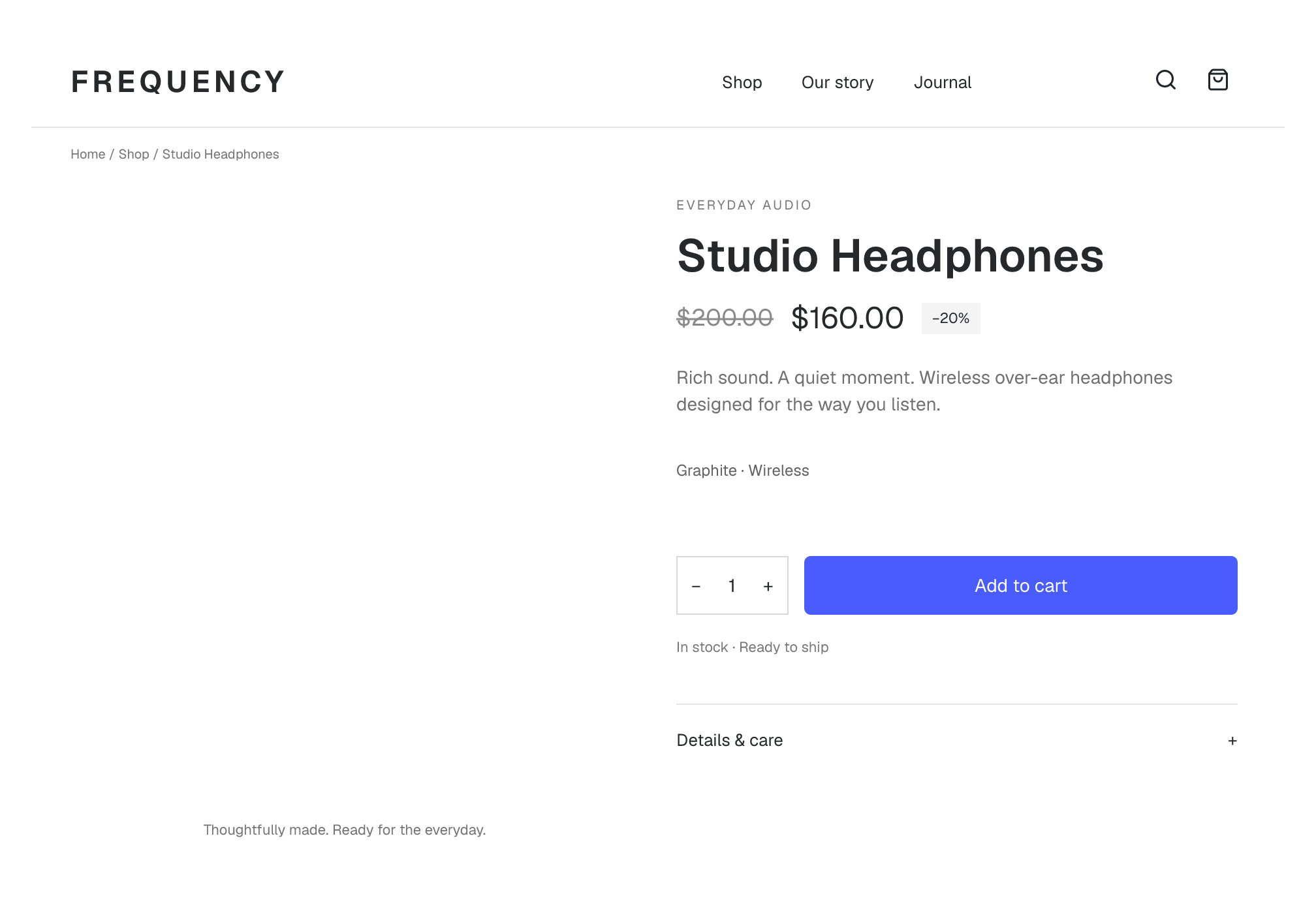
Put a product or collection on sale with a percentage discount, an amount off or a fixed sale price. Add dates when the promotion needs a window.

01 / Sale
Let the product price do the talking.
Show the regular price and the offer together. Apply a sale across selected products without editing every product one by one.
- Choose percentage off, amount off or a fixed sale price.
- Calculate from regular prices and keep a cheaper existing sale.
- Optionally skip products that are already on sale.
- Set start and end dates, or leave the offer always available.

02 / BOGO
Make the reward part of the buying decision.
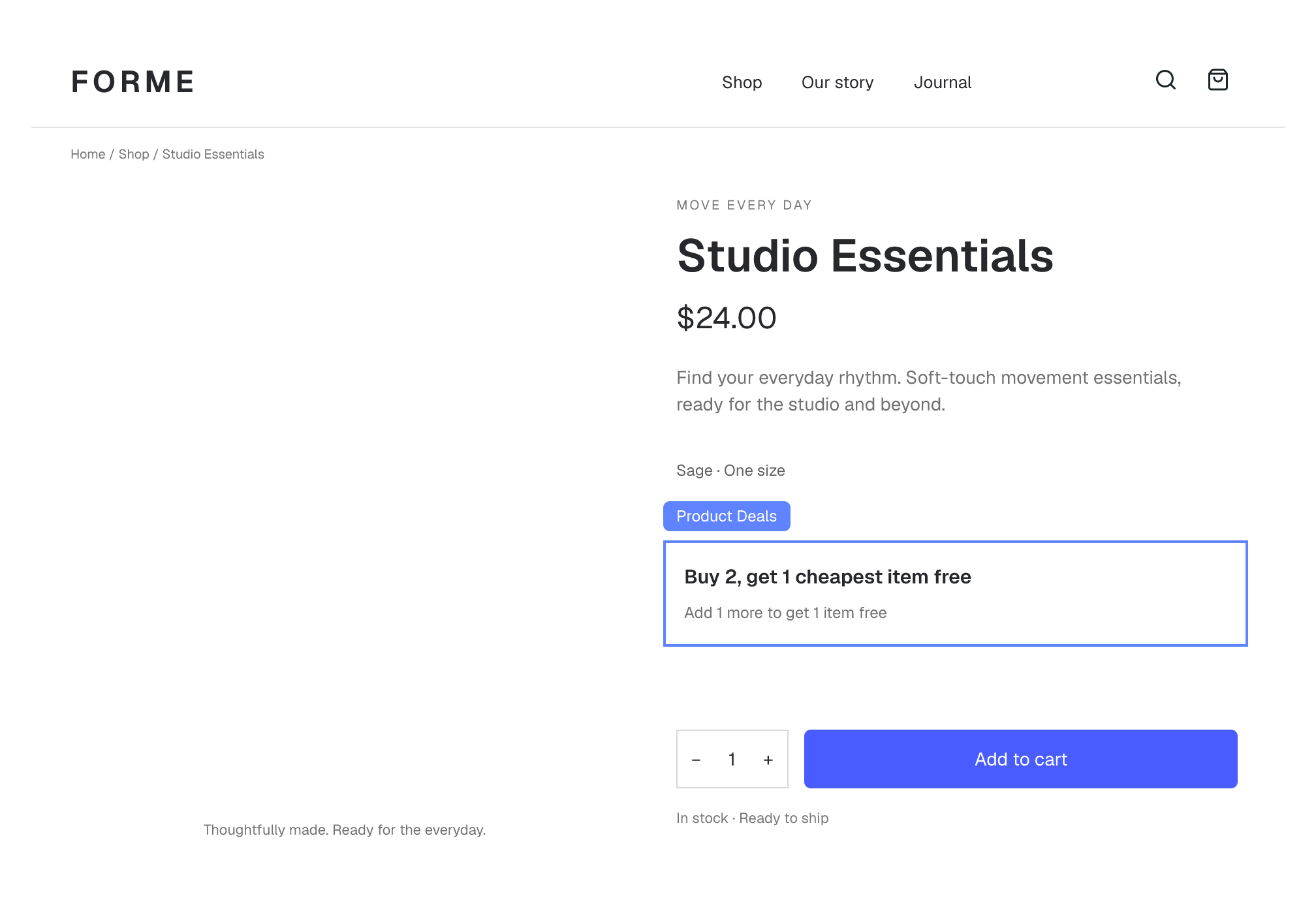
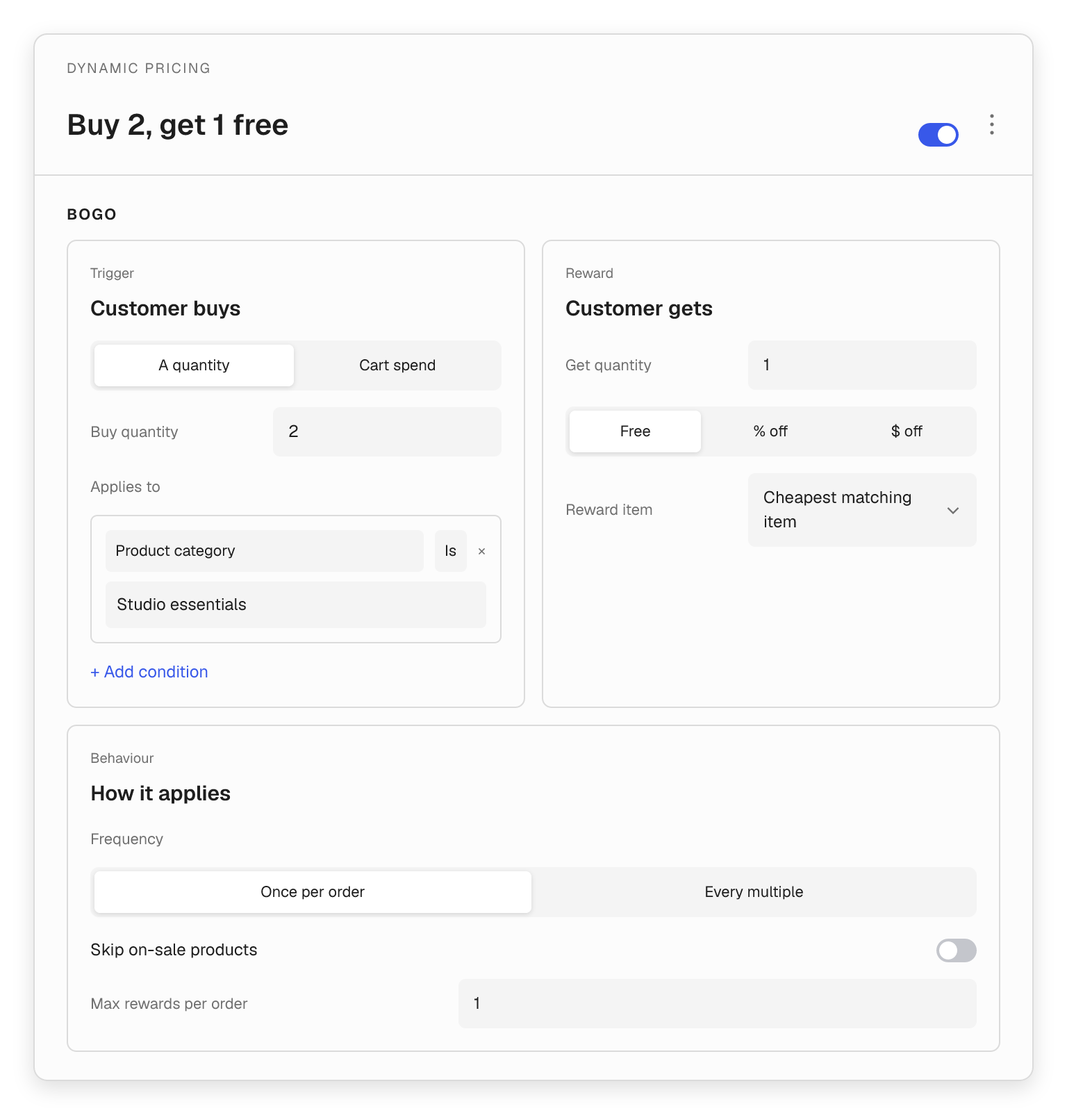
Explain buy-X-get-Y offers on the product page, with a live hint based on the shopper’s cart. Set the qualifying purchase and the reward in two clear editor panels.
- Trigger an offer by product quantity or qualifying spend.
- Reward with a free item, a percentage discount or an amount off.
- Pick the cheapest matching item or a specific product.
- Auto-add a specific free gift when the offer is met.
03 / Quantity breaks
Make the next price break easy to choose.
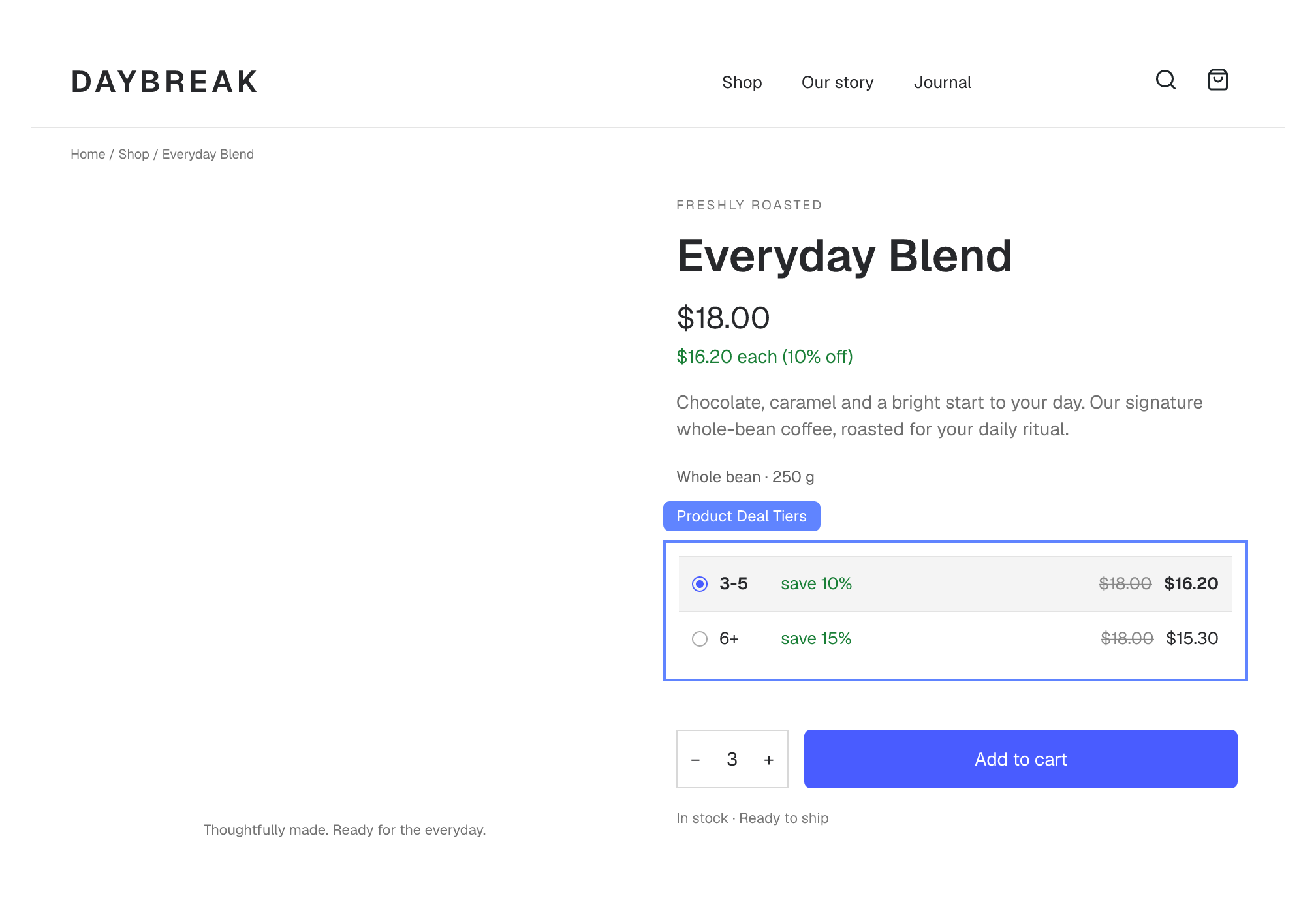
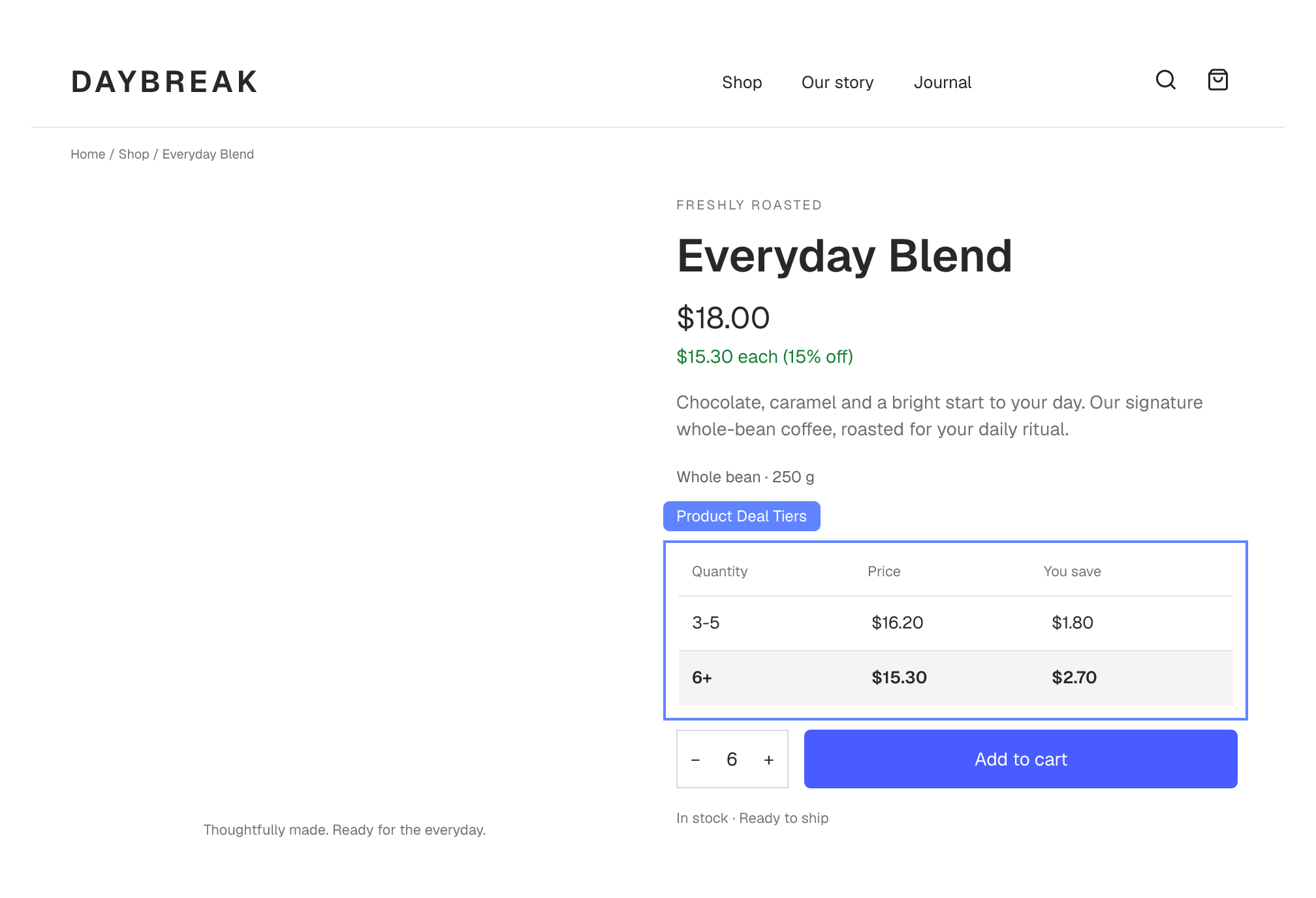
Turn a stock-up purchase into a clear choice. Show quantity ranges and the saving at each tier, then update the deal price as shoppers change the quantity.
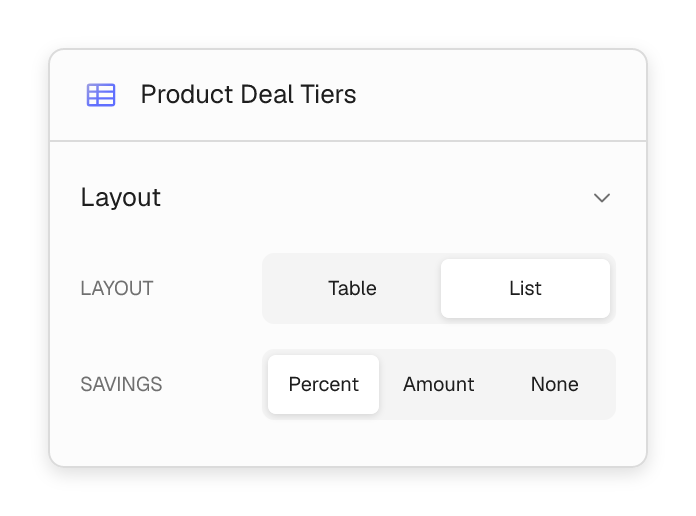
- Use a comparison table or a selectable list.
- Show savings as a percentage, an amount, or hide them.
- Select a tier to set the product quantity to its minimum.
- Keep the tier prices in sync with the selected variation.
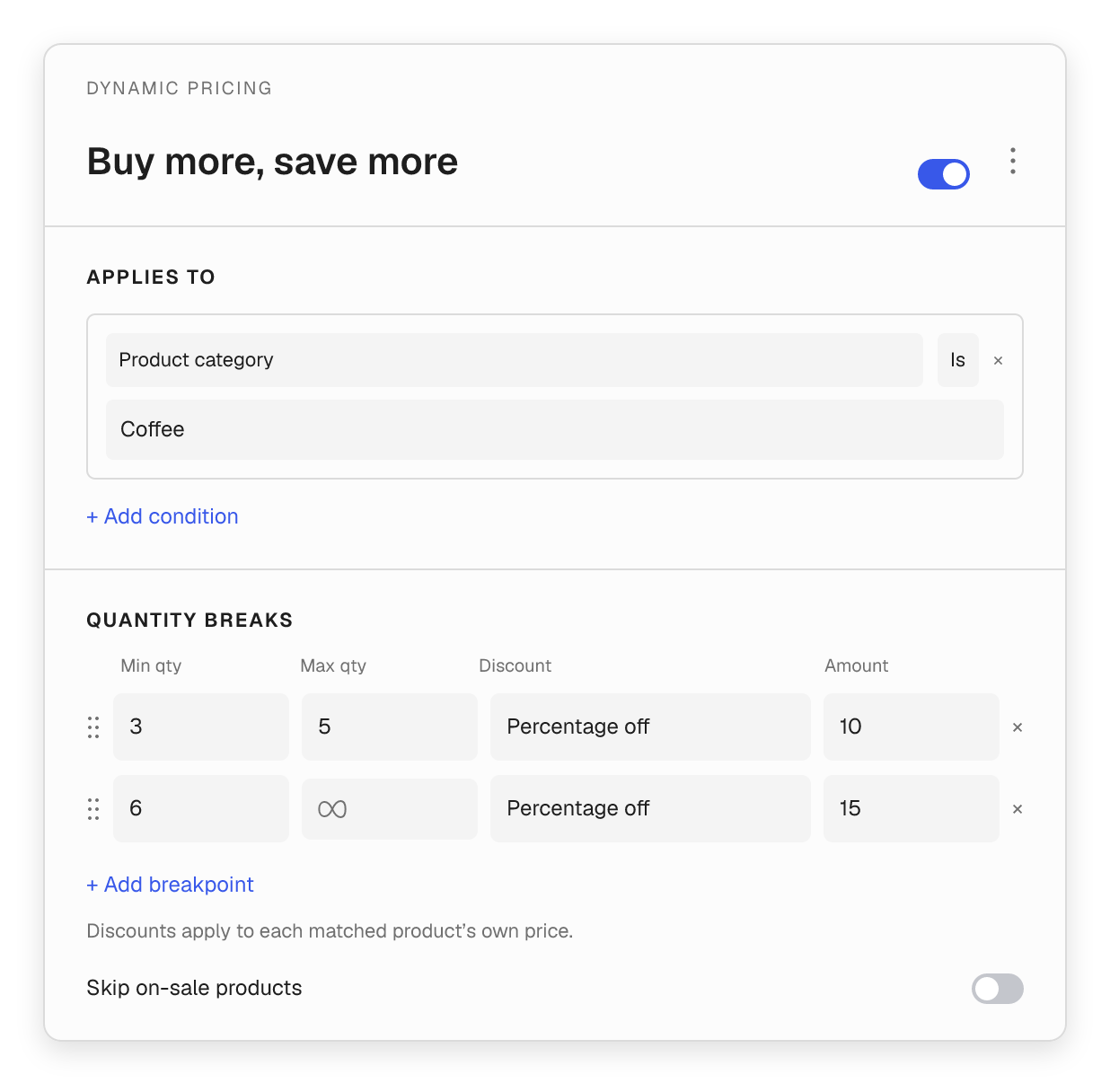
Set the rules. Check the result.
Keep each promotion predictable with product conditions, clear availability and a preview of the draft deal.
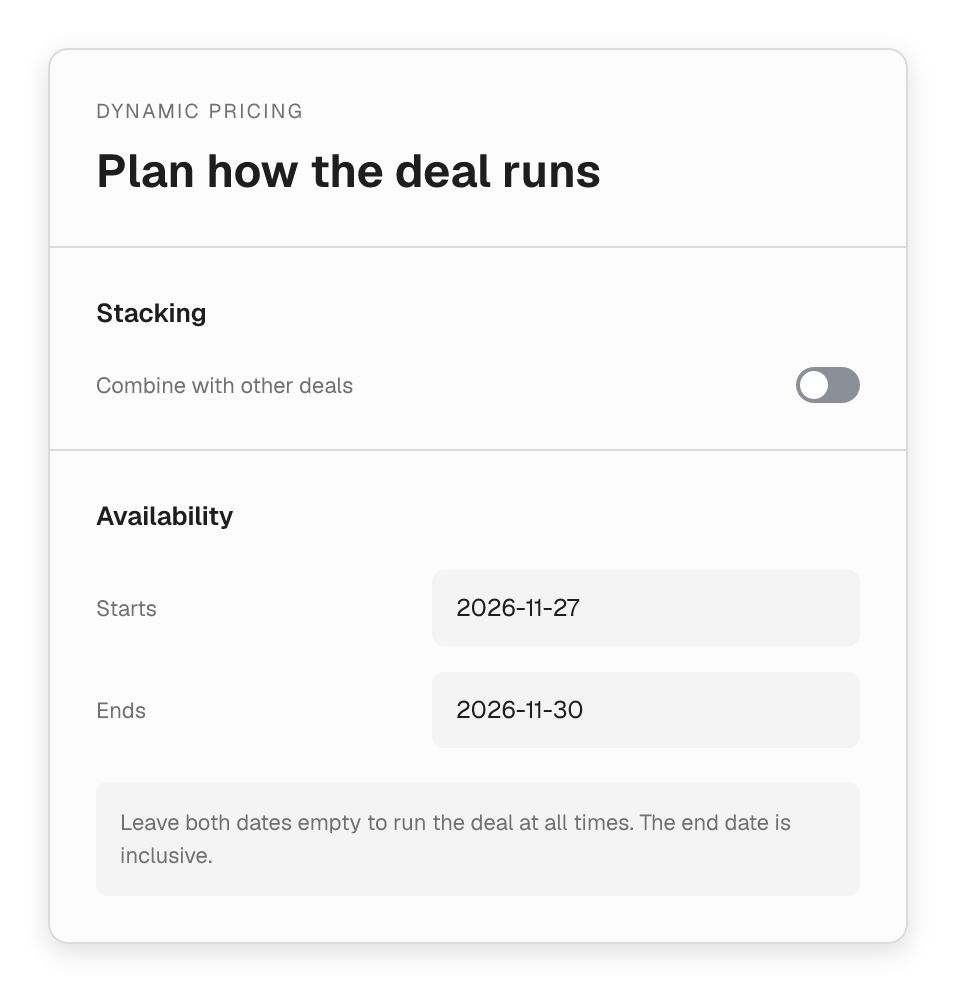
Choose when offers combine.
Deals run in list order. Choose whether later deals can discount the same products, then set optional start and end dates.
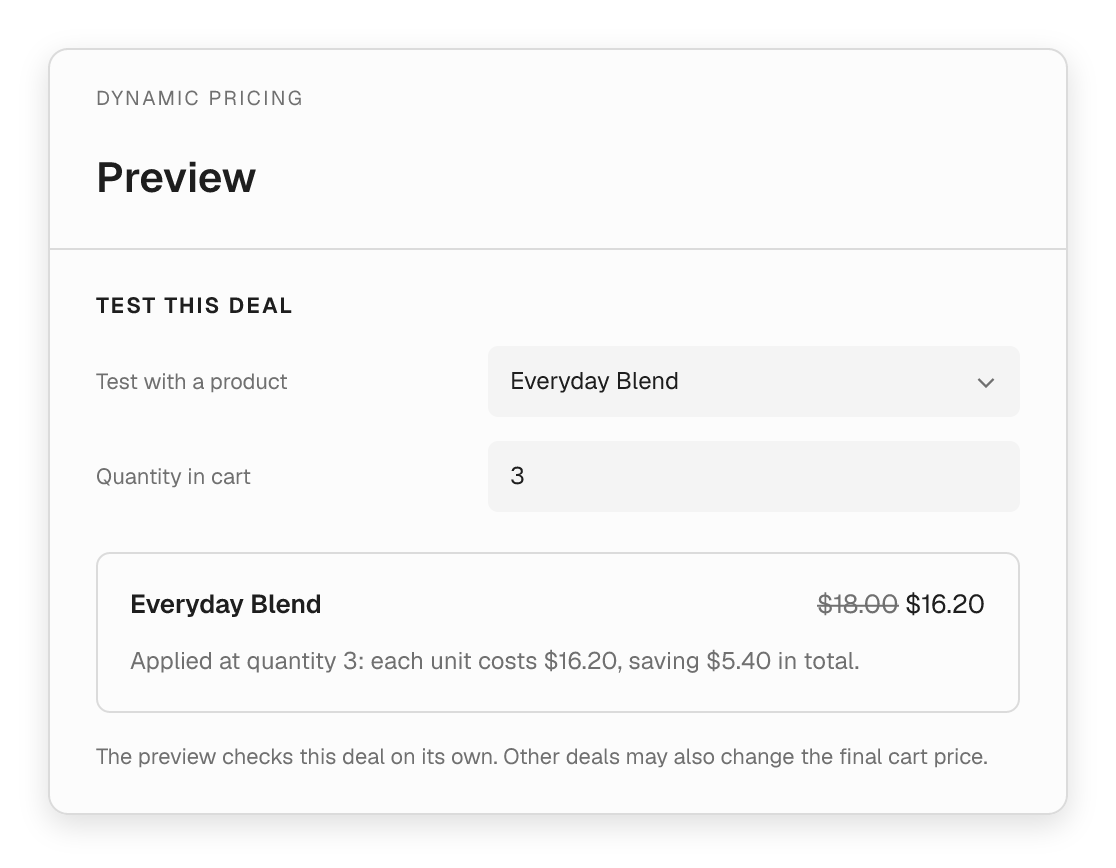
See what one deal does to a product.
Search for a product and test the draft offer before saving. For quantity and BOGO deals, adjust the quantity and read the price explanation.
Target the right products
Match products, categories, brands, tags, shipping classes or stock status. Combine conditions with AND / OR, or leave them empty to include all products.
Choose how often BOGO applies
Quantity-triggered offers can run once per order or every multiple. Set an optional maximum number of rewards. Spend-triggered gifts use a qualifying-spend threshold.
Preview with context
The preview checks the selected deal on its own. Other active deals may change the final cart price; a BOGO preview uses only the selected product.
Four blocks. One clearer path to purchase.
Bring deal information into the product layout and the WooCommerce Cart and Checkout blocks.

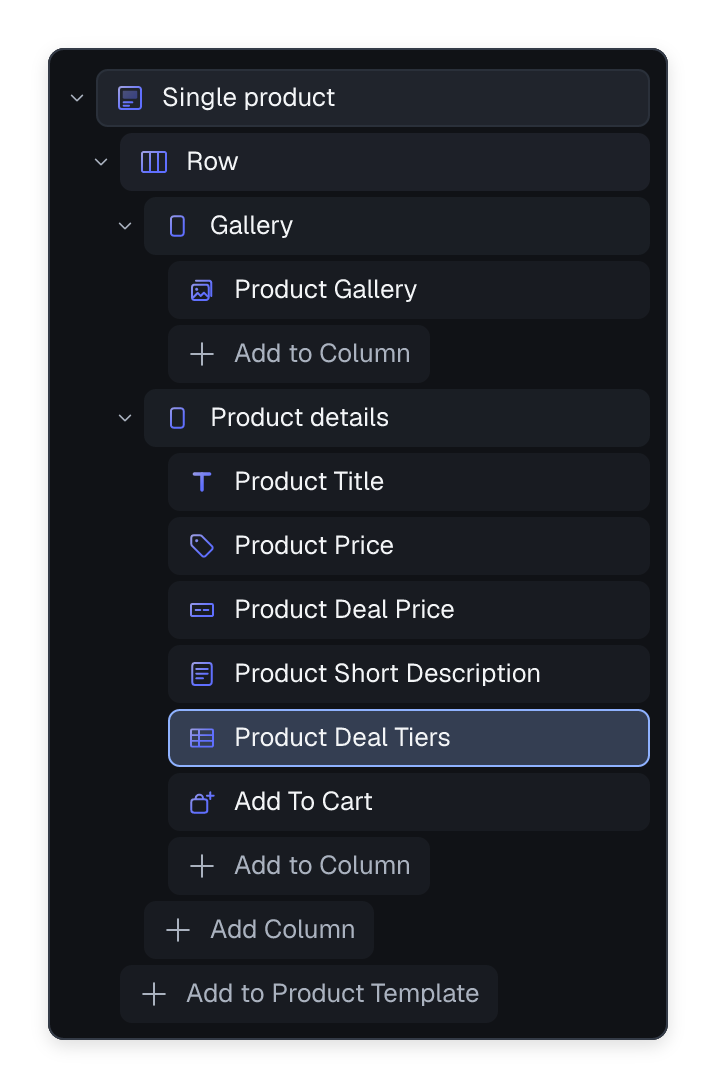
Product Deals
Show available BOGO offers and a live hint about what the cart still needs.

Product Deal Price
Add the current quantity-break price below the normal product price.

Product Deal Tiers
Compare tiers in a table or choose quantities from a selectable list.

Cart Deals
Show cart-wide spend offers and the amount left to unlock a reward.
Built for WooCommerce Cart and Checkout blocks. Product-specific deal hints and savings appear on the relevant cart line.