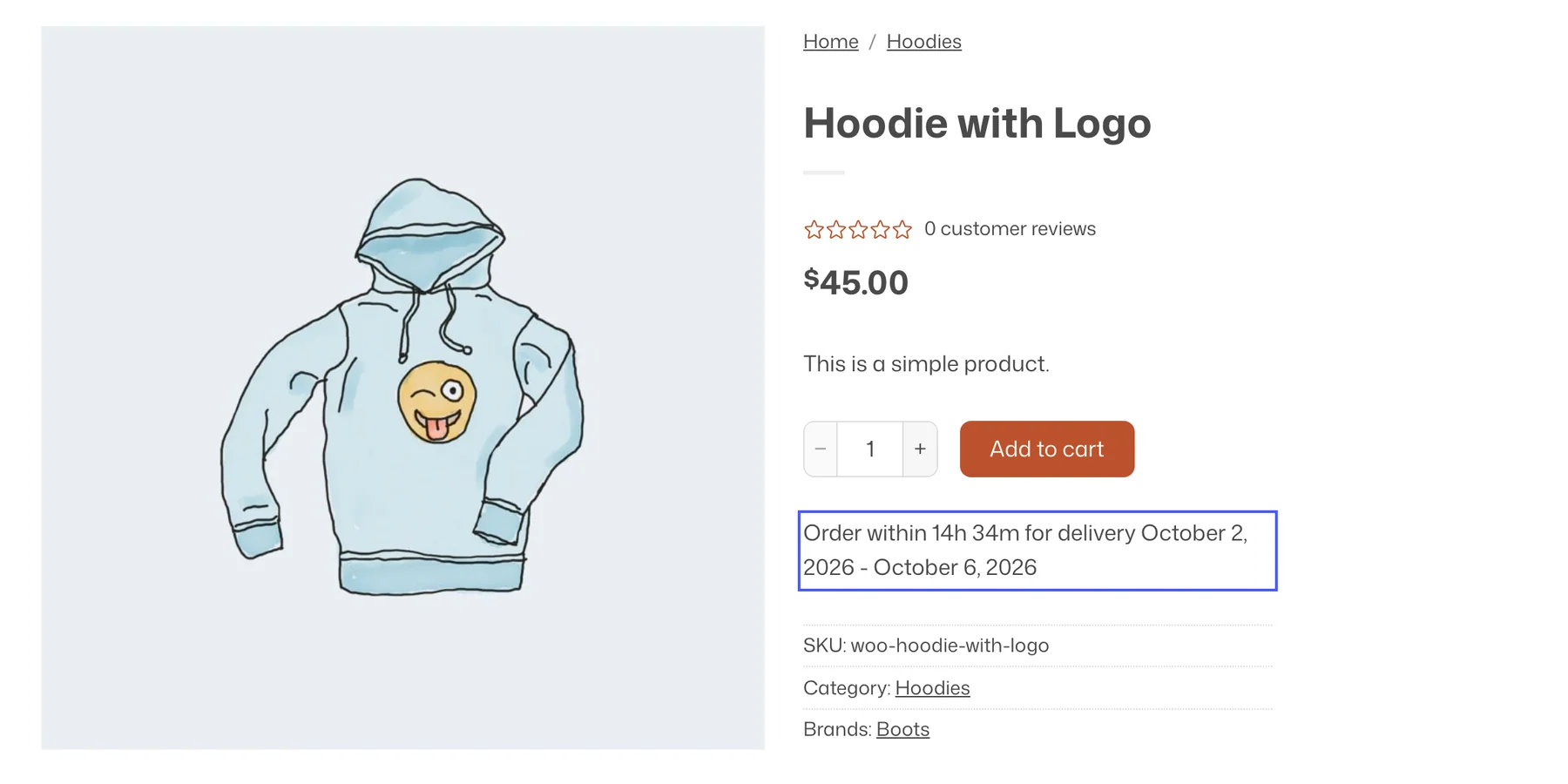
Estimated delivery tells shoppers when their order will arrive, right on the product page: “Order within 3h 20m for delivery by Thursday”. The date is calculated from a delivery window in business days, your excluded days and holidays, and an optional daily cut-off time.
Turn it on
- Enable Estimated Delivery under Flatsome → Dashboard → Modules.
- Open Flatsome → Estimated Delivery.
General settings
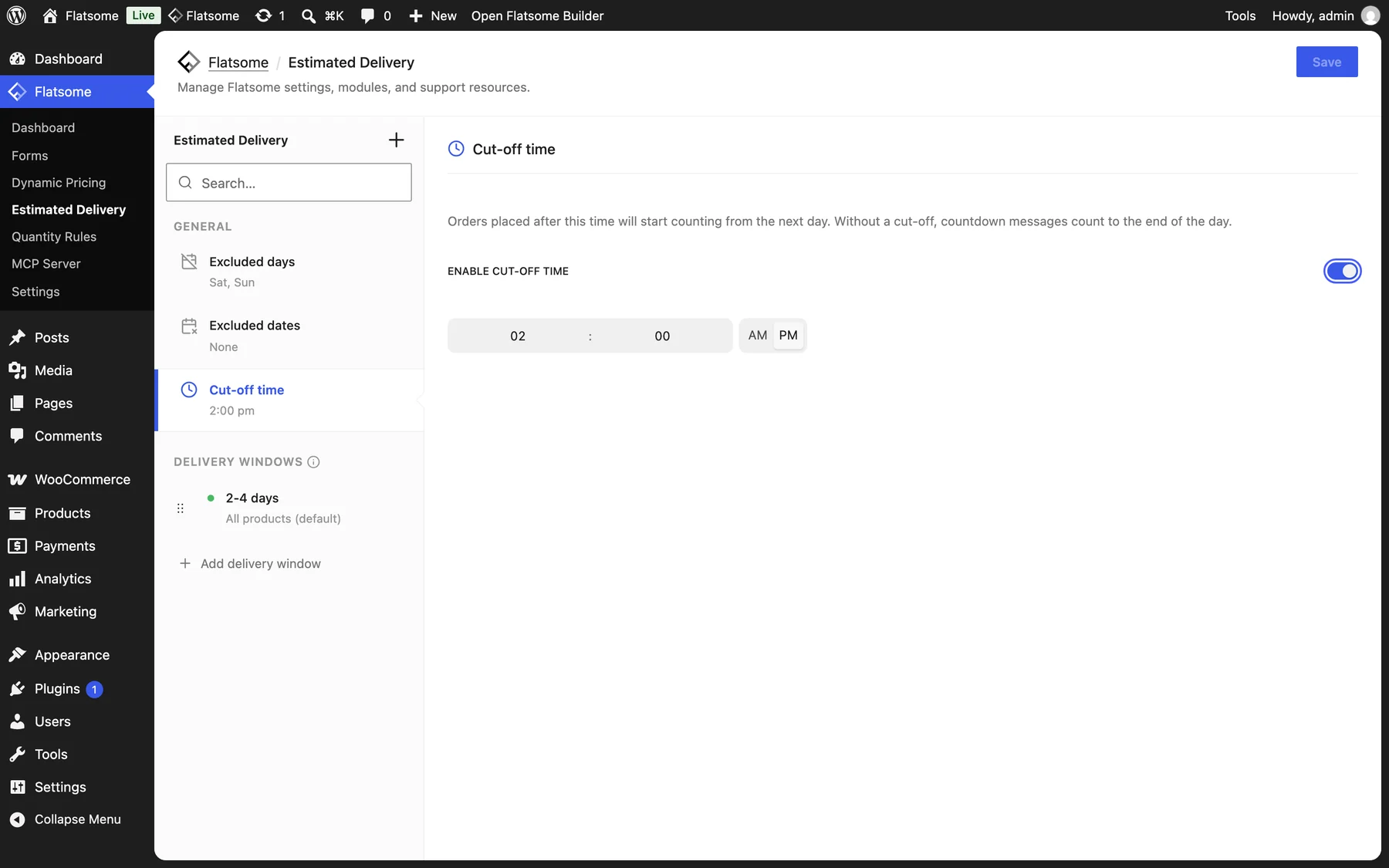
- Excluded days: weekdays that do not count, typically Saturday and Sunday.
- Excluded dates: holidays and closures. Mark a date Recurring to exclude it every year.
- Cut-off time: turn on Enable cut-off time and set a time. Orders placed after it count from the next day. It also drives the countdown in the message.
Delivery windows
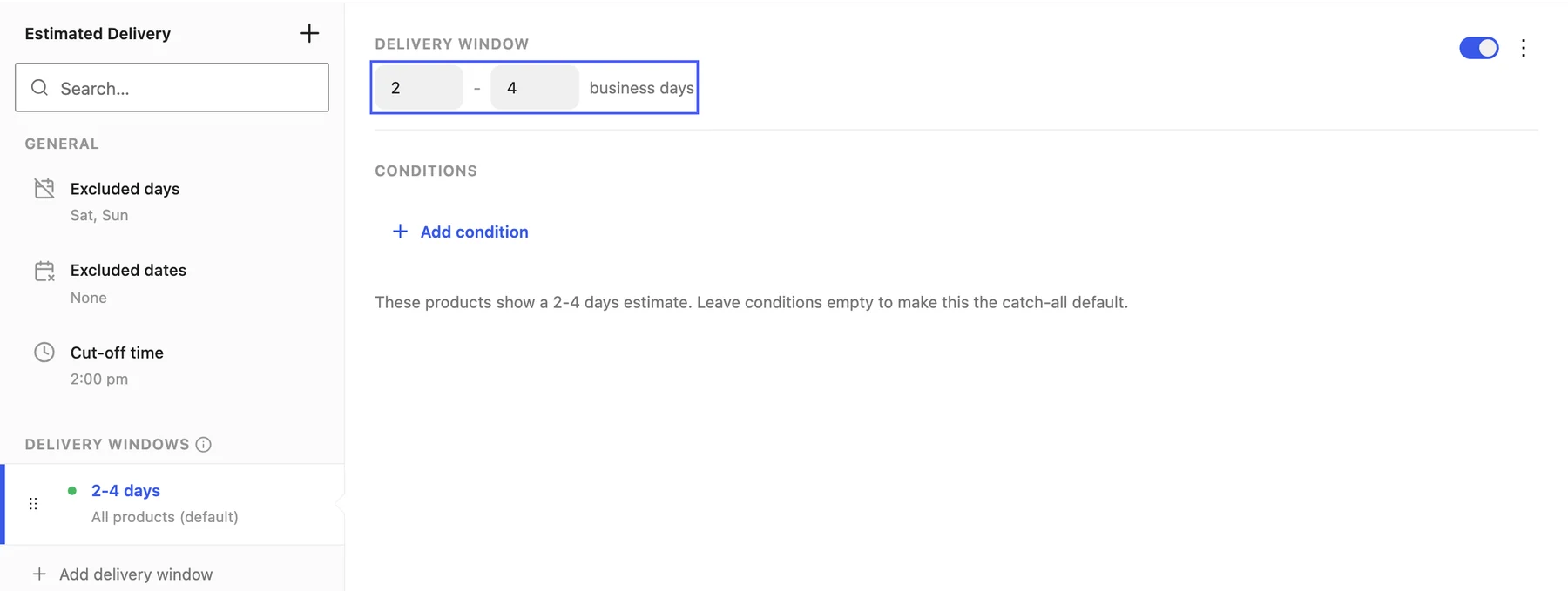
Add a window and set its minimum and maximum business days in the row under Delivery window, and use Conditions for which products it applies to. Leave the conditions empty on one window to make it the default, and add windows above it for exceptions such as made-to-order categories with a longer lead time.
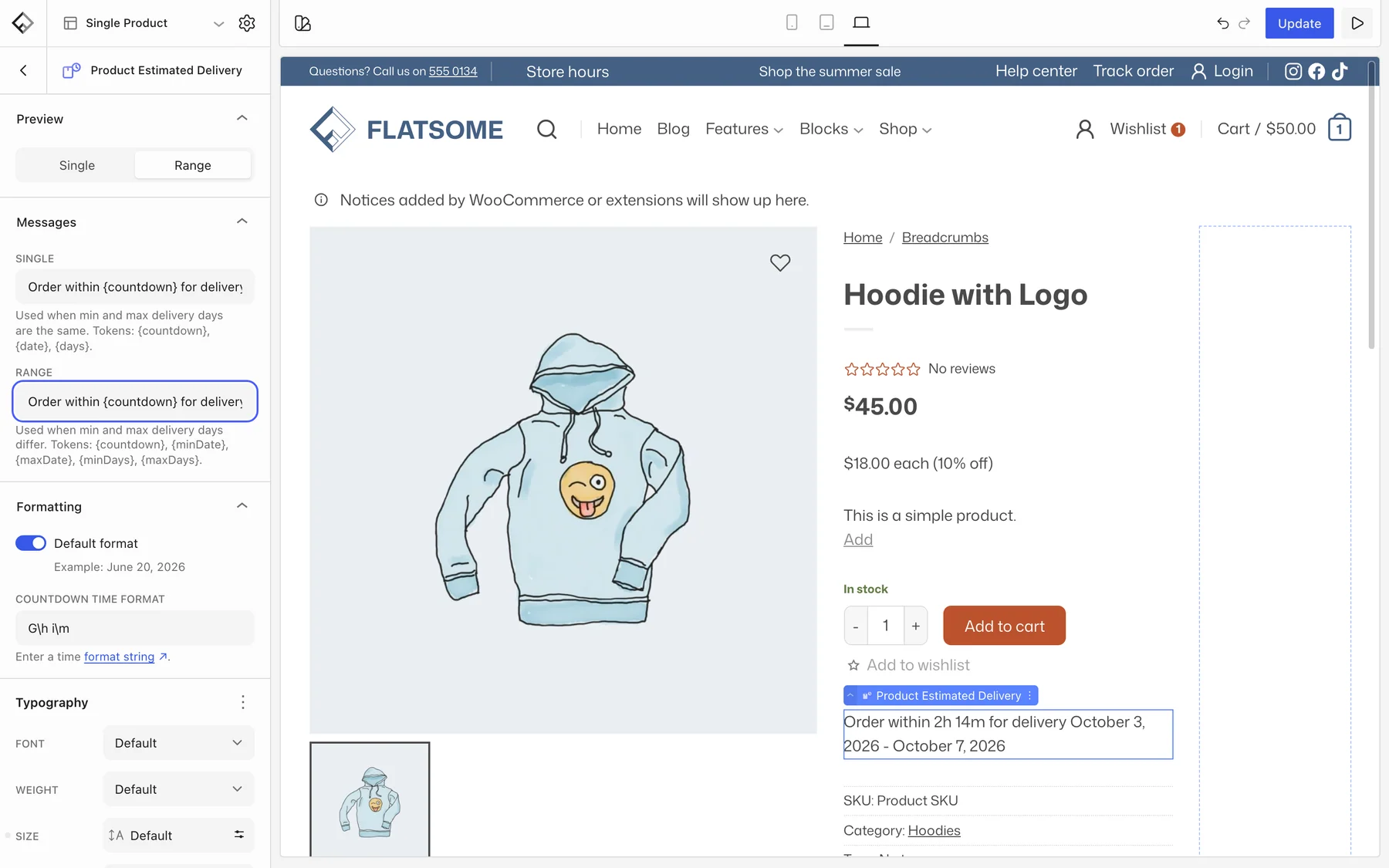
Show it on the product page
- Open Templates → Single Product in the Builder.
- Insert the Estimated Delivery block near the add-to-cart area. It only renders when a delivery window matches the product.
- Inside it, the Product Estimated Delivery block prints the date. Add an icon or text around it as you like.
Under Messages, edit the Single text used when min and max are the same and the Range text used when they differ, with tokens such as {countdown}, {date}, {minDate}, and {maxDate}. Formatting sets the date format and the countdown format.