


Flatsome pages are built from blocks that load only the styles and scripts they use, and images are lazy loaded by default. Most remaining speed comes from hosting, caching, and the images you upload.
Performance settings
Go to Flatsome → Settings → Performance. Each option removes something WordPress loads on every page. Turn them on one at a time and check the site afterwards, because a plugin may still depend on what you removed.
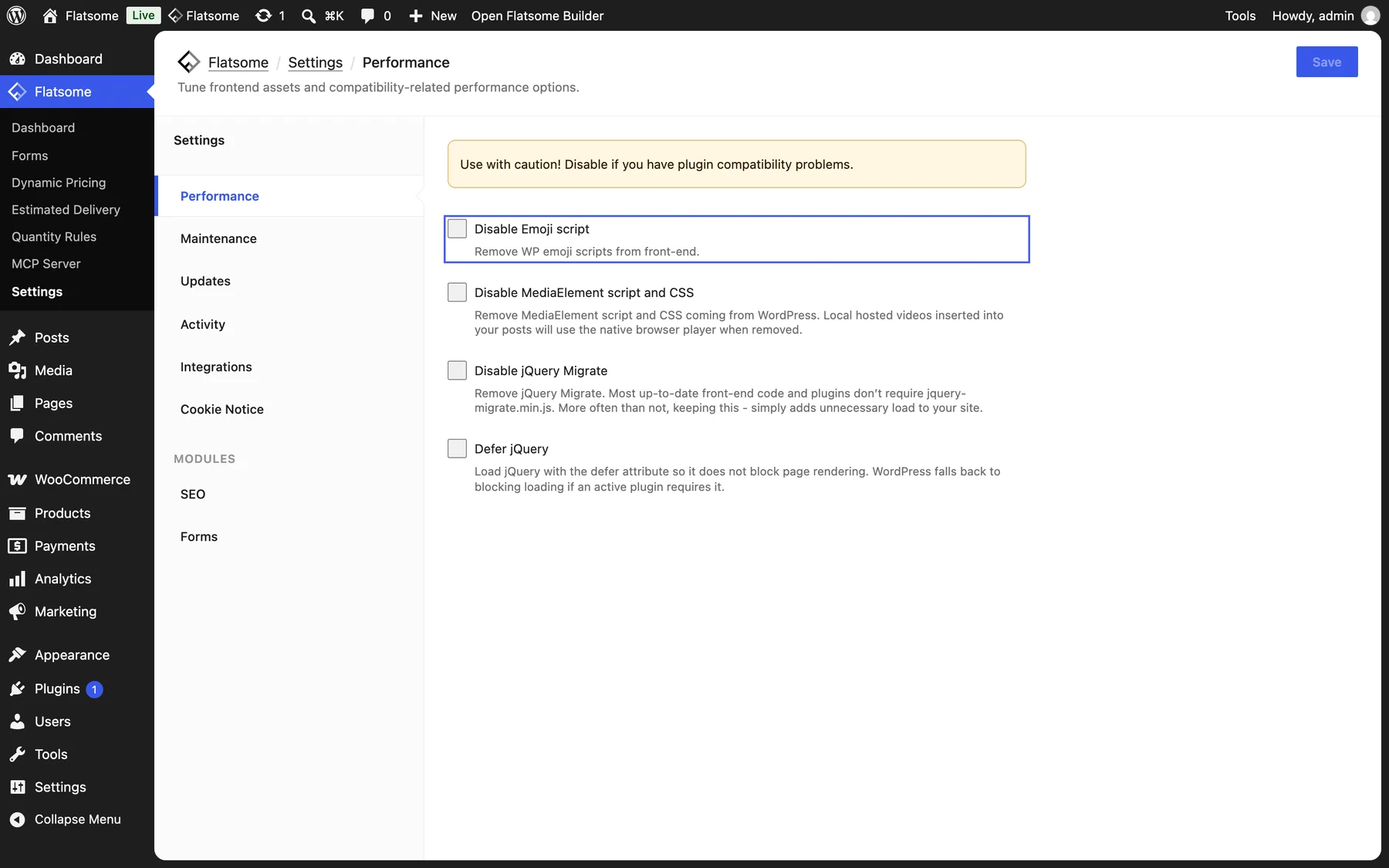
- Disable Emoji script: safe on nearly every site.
- Disable MediaElement script and CSS: self-hosted videos in post content then use the browser’s own player.
- Disable jQuery Migrate: only very old plugins need it.
- Defer jQuery: loads jQuery without blocking rendering. WordPress falls back to normal loading when a plugin requires it.
Images
- Upload images no larger than they are shown. A hero banner rarely needs more than 2000 pixels wide; a product thumbnail far less.
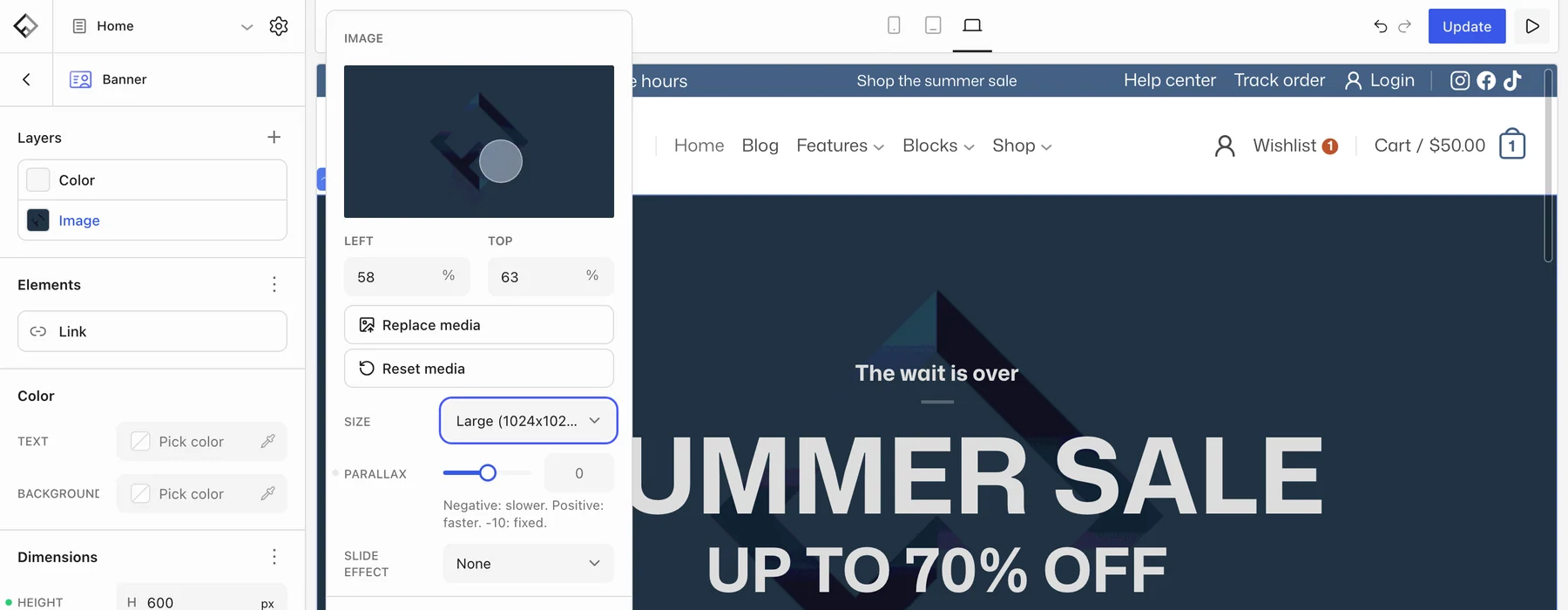
- Pick a fitting Size on Image, Banner, and Logo blocks instead of the original.
- Use WebP or AVIF. WordPress can convert uploads, and most image plugins do it in bulk.
Caching
Flatsome does not include a page cache; use the one from your host or any caching plugin. After editing templates, template parts, or global styles, clear the cache so visitors get the new markup. Leave dynamic pages such as the cart, checkout, and account out of the cache, which every WooCommerce-aware cache plugin does by default.
Hosting and plugins
Run PHP 8.2 or newer with at least 256 MB of memory, and keep the plugin list short. See Server recommendations. Measure with PageSpeed Insights before and after each change so you know what actually helped.