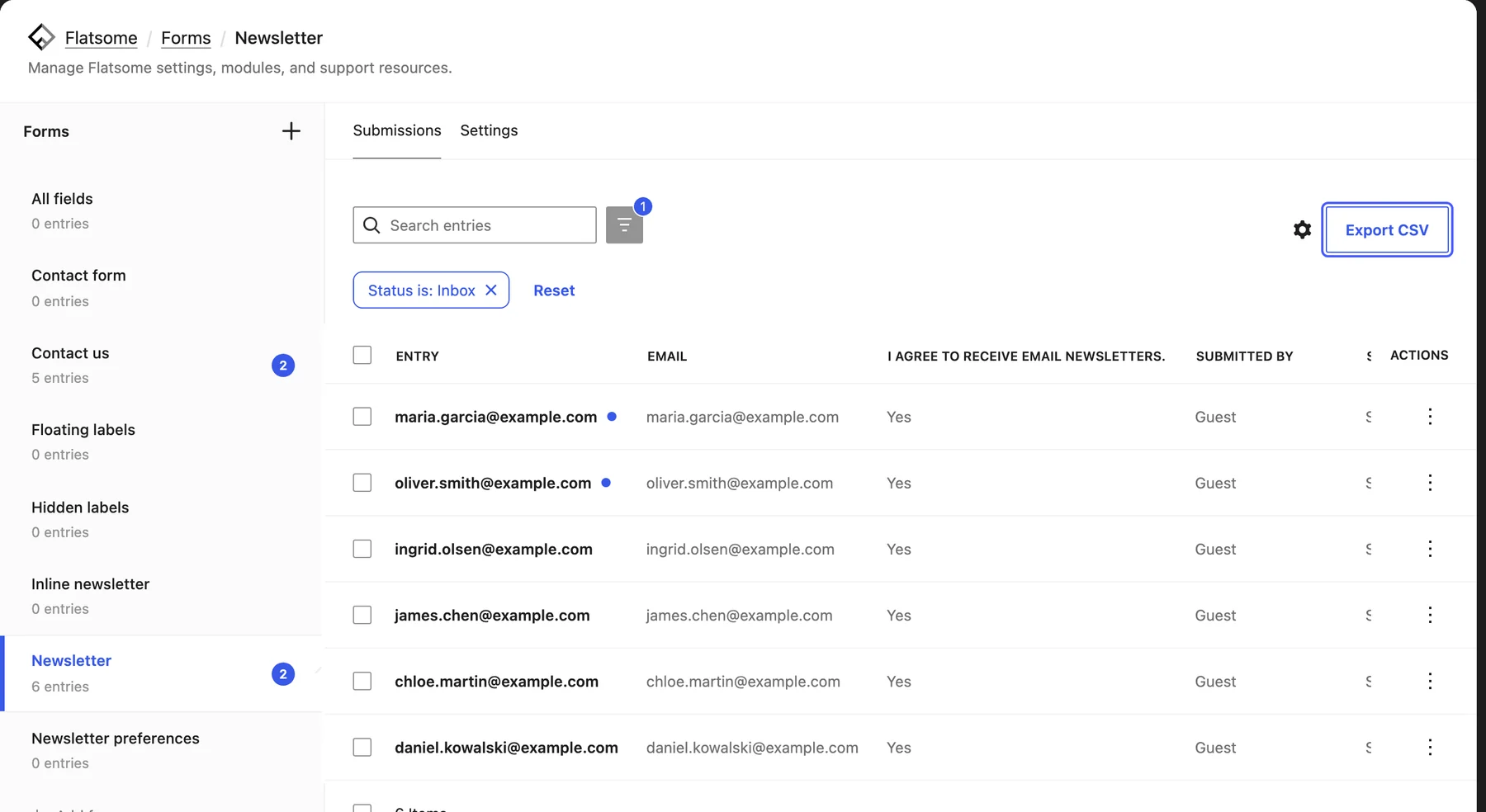
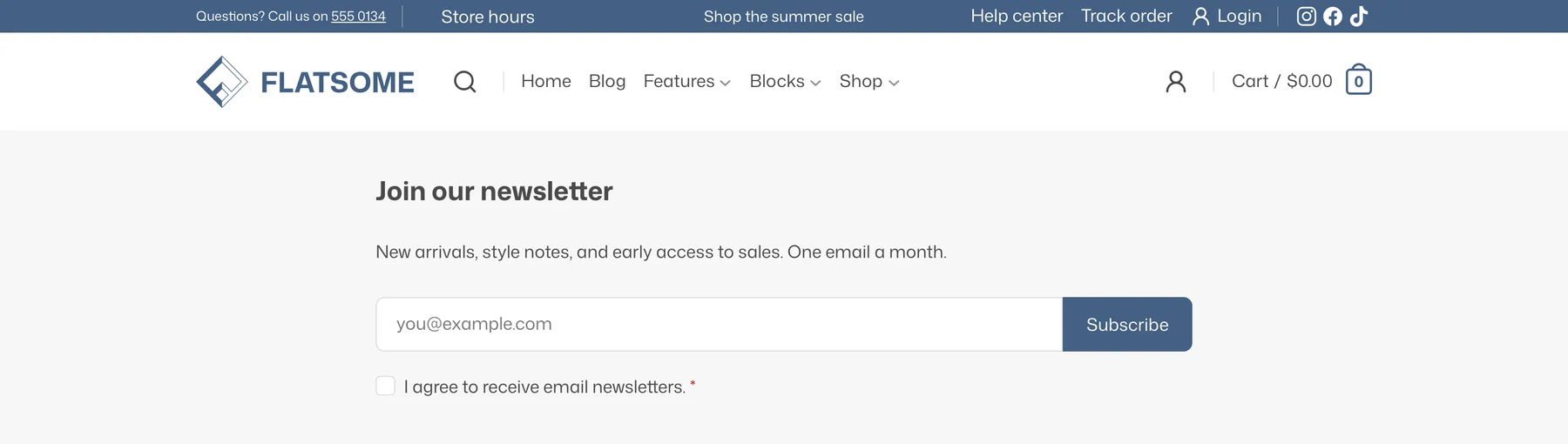
A newsletter signup is a form with an email field. The Forms module stores every submission on your site, emails you when one arrives, and exports the list as CSV for your mailing service.
Add the form
- Make sure Forms is enabled under Flatsome → Dashboard → Modules.
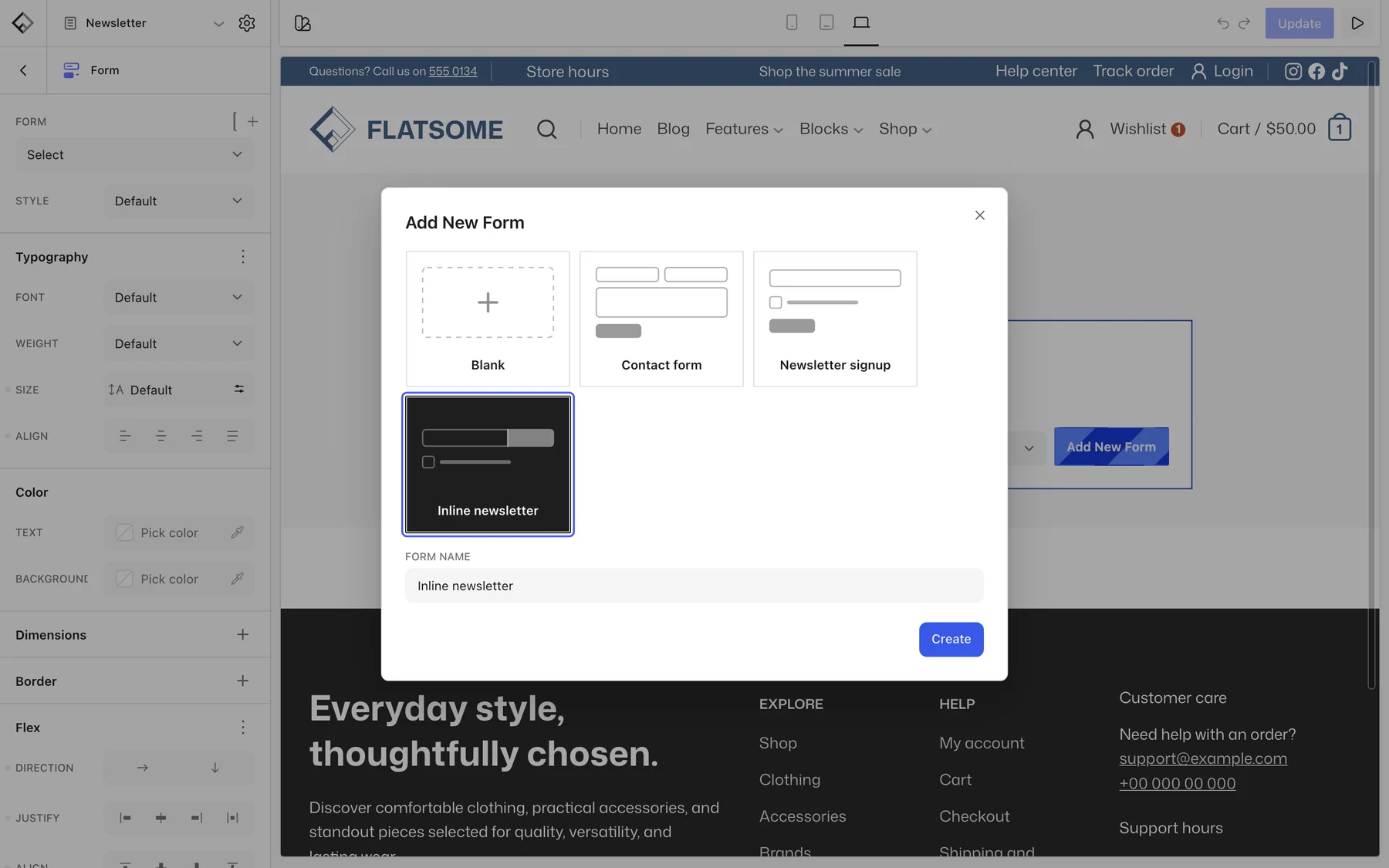
- Insert the Form block where the signup should appear, such as the footer or a banner.
- Pick Newsletter signup for an email field with a consent checkbox, or Inline newsletter for a single row with the button beside the field.
- Edit the placeholder, the consent text, and the Subscribe button like any other blocks.
Form settings
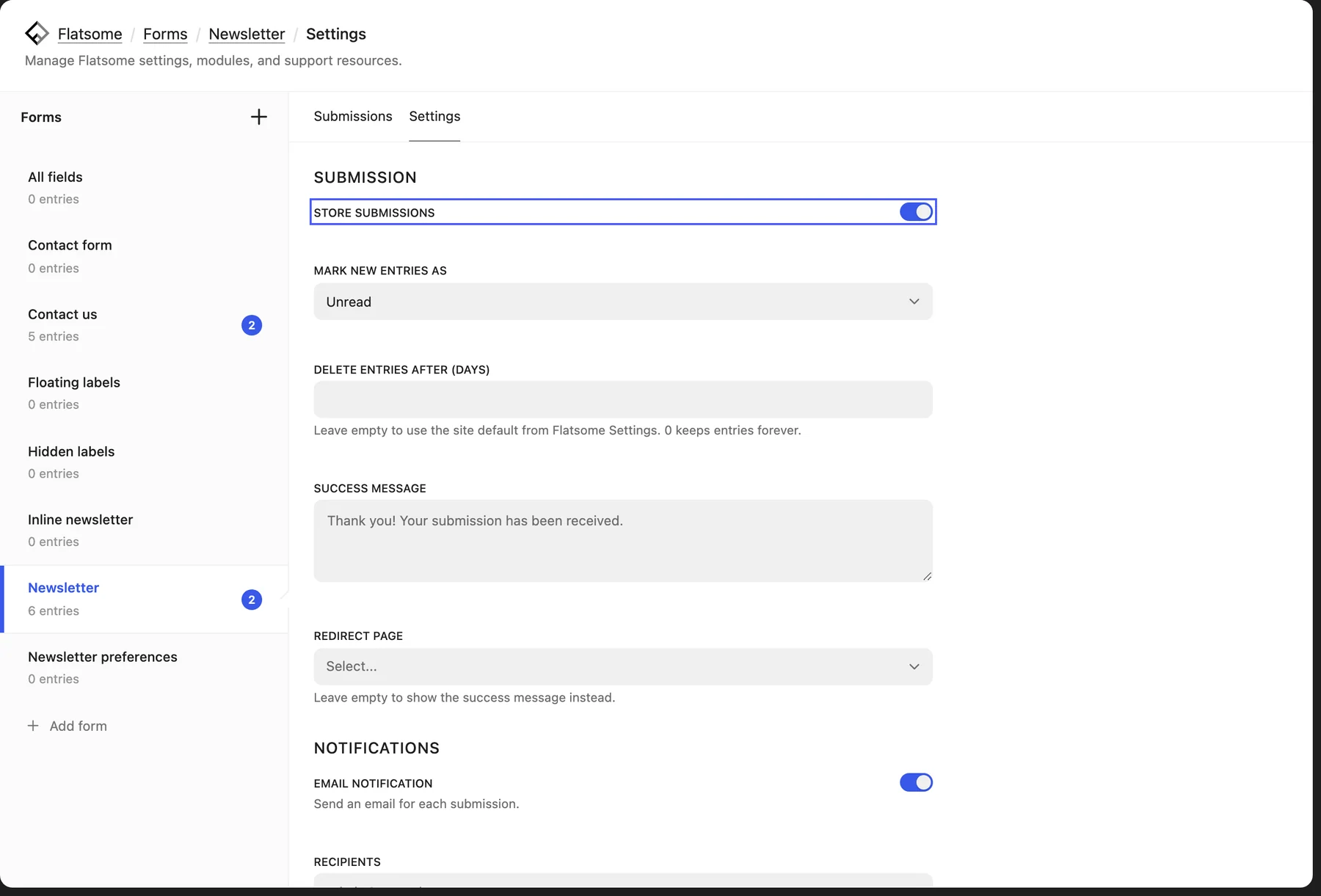
- Submission: keep Store submissions on, set a Success message, or a Redirect page such as a thank-you page.
- Notifications: turn on Email notification to hear about each signup, and Confirmation email to send the subscriber a welcome message.
- Delete entries after (days): how long to keep addresses. Leave empty to use the site default from Flatsome → Settings → Forms.
Get the addresses into your mailing list
Open Flatsome → Forms, choose the form, and use Export CSV under Submissions. Import that file in Mailchimp, Klaviyo, or whichever service you use. If your provider offers its own WordPress plugin with a signup block, you can use that block instead of the Form block and skip the export.